RoomSort is in
private beta.
RoomSort reads a real-estate shoot and lays it out by room and scene, so the timeline is already organised before you touch it. Right now it runs as a closed, invite-only build with a small group of developers pointing it at real shoots and telling us what it gets wrong.
This is not a public download. Requests are reviewed by hand and access is granted per account. A public beta follows once the private group has run enough real shoots through it.
Included for private beta testers.
Platform
macOS 14+ · Apple Silicon & Intel
Cadence
Biweekly builds
Export
FCP XML timeline
How you get in
Every request is reviewed by hand. Requesting creates your account; it does not unlock the build.
Request access
Drop your email above. No card, no plan selection — this is a private group, not a signup.
Open the sign-in link
It signs you in and creates your account if you don't have one yet.
Wait for approval
We review by hand. Once you're in, a Private beta card appears in your account with the .dmg and your activation key.
Activate and sort
Paste the key into First Pass, point it at a shoot, send us the result.
What's in this build
5.20 (520)- FixRoomSort's buttons had melted into one long smudge of glass across the top. They're separate buttons again, and you can read every one.
- NewConstruction and Seasons videos can take Manual review too: you okay the picture before the video gets made.
- NewShort on credits for a take? Generate turns into Buy Credits, so you find out before the wait, not after it.
- FixShadows videos on Locked now show their full price before you click, the smoother camera model included. No surprises on the receipt.
- NewSupport chat is here. Click the ? at the top of the app (it's a chat bubble in Magic Wand) and chat with Iris. Actual humans answer, usually the same day. Screenshots welcome.
- NewSubscriptions are live. RoomSort, Founder and Creator plans each come with a 3-day free trial, so you can try before your card notices. See the plans
- NewVideos start at 8 seconds now. Sunsets don't like being rushed, and honestly, neither do we. 5 seconds is still there if you're in a hurry.
- NewCamera moves run on a new model that glides like it's on a robotic arm. It uses a few more credits per second, and it's worth every one.
- NewEvery tool's ⓘ button now lists its best practices. Tip one: tell it what you want under Advanced Options → Direction, in plain words, like "keep the cars parked".
- NewLine up verticals: one slider straightens leaning walls on your photos. Free, and it all happens on your Mac.
- NewSun in your photo? Under Advanced Options, choose to remove it or move it somewhere more flattering.
- NewThe buttons got a fresh coat of glass, and the plan and credit cards float up when you point at them. Click anywhere on a card to pick it.
- FixPhoto and Video keep their own settings now, so switching between them no longer swaps your choices around.
- FixThe review card can be dragged out of the way or tucked into a small pill when it's covering the good part.
- NewThis is the last update you'll drag to Applications. From the next one on, click Update in the app and First Pass installs it and restarts on the new build. No more downloading the whole app to fix one button.
- NewCheck for Updates… now sits in the First Pass Beta menu, under About. If you're in the middle of a sort, an import or an export, the update waits until that's done before First Pass restarts.
- NewPhotos only reach you once they're completely finished: 4K, the look, all of it. What you rate is exactly what you keep, and Keep costs nothing. One clear price per photo: 50 credits at 2K, 90 at 4K.
- NewPhoto not shaped like a video? Drag the frame to keep the part you want, or double-click it to put it back in the middle. No more losing the side of the house to a tall video. An End photo of a different shape gets the same frame to drag.
- NewThe End frame tells you what happens to your photo before you spend anything, like “Becomes night”, “Gets the new sky” or “Used as is”. No more guessing what the video ends on.
- NewEvery kind of notification has its own look. Credits arrive with the real gold coin, which turns once as it lands, updates wear the app's icon, and account notes are teal. You'll know which is which before reading a word.
- FixRetry after a failed take now uses the settings you just picked, not the ones from before. Switch to 2K, get 2K.
- FixTyping a direction in Magic Wand no longer spins up your fans, and the price catches up as soon as you stop typing instead of a few seconds later.
- FixRoomSort keeps up on huge shoots: filing clips with the keyboard feels instant, and the end of a sort no longer stalls at 100%.
- FixIn RoomSort, clearing a clip's second bin now sticks after you quit and reopen.
- FixMagic Wand cleans up after itself: scratch files left over from checking prices are cleared out when the app opens.
- NewManual review is now the default for photos, and for Time Shift, Sky Replacement and Virtual Staging videos made from a photo: you okay the picture first. If lunch runs long, it waits for you, up to a day.
- NewRate the picture before you approve it, try again or stop. Forget, and the stars give you a gentle nudge.
- NewA new Help improve Magic Wand switch, on by default, in Magic Wand Preferences. It keeps the pictures you rate so we can make Magic Wand better. Turn it off any time. What we keep
- NewArchitectural Shadows videos made from a photo get Manual review too, once Shadows is back from maintenance.
- NewOur privacy policy and terms are updated to cover the new switch. Privacy · Terms
- FixThe preview fills its box with no black bars, and shows the exact framing the video will use. No more rating a good picture low because it looked a bit off.
- FixRoomSort and Credits sounds come in smaller files now, so the app is about 19 MB smaller.
Looks filmed, not generated
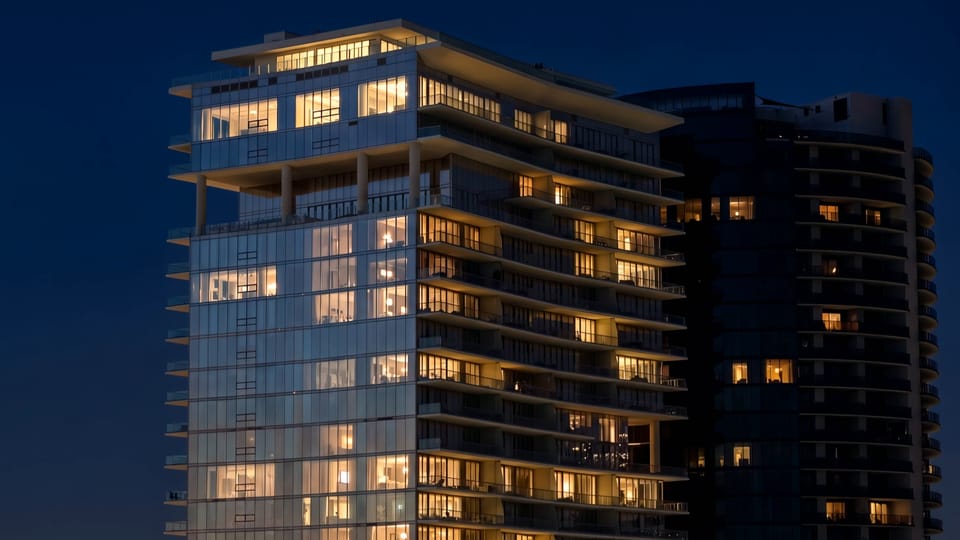
We rewrote how Magic Wand directs every tool. Photos and videos now come out the way a cinema camera would catch the scene: real light, true colour, fine grain. Natural keeps it calm, Filmic brings the drama.

A real evening, start to finish
Golden light, a pink sky, blue hour, then the lamps. People stroll out of shot and cars trail light. Nobody turns into a ghost.
Two photos, one camera move
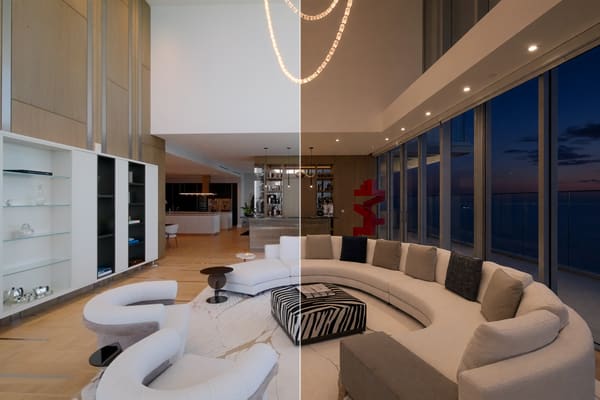
Shoot a Start and an End in daylight. We turn the End to the time of day you picked, then move from one to the other.

Credits got a room
A steel table, one lamp and a bag that fills when you top up. Buy on the site and the app waits for you, then pours the coins in.
Maintenance, with a countdown
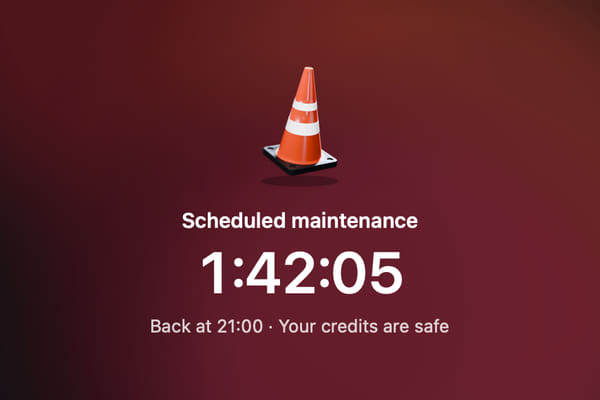
When we take Magic Wand down for an upgrade, you see it coming. Nothing starts that can't finish, and your credits are safe.
- NewMagic Wand's directions got rewritten from the ground up. Every tool aims for what a real cinema camera would catch, so photos and videos look shot, not generated.
- NewPeople and cars behave in time-lapses. People walk out of frame, cars leave light trails, and nobody turns into a see-through ghost.
- NewAdd your own End frame and we'll shift it to the time of day you picked. No more waiting in a driveway for sunset.
- NewManual review is back on videos with two frames. You okay the End frame before we make the video, so nothing sneaks past you.
- NewCredits has its own room: a steel table under one lamp, and a bag that fills when you top up. With sound effects.
- NewBuy credits or a plan on the site and the app waits for you, then pours the coins in the moment your payment lands.
- NewFounder and Creator plans are open. Pick one right from Credits.
- NewScheduled maintenance comes with a heads-up and a countdown, so nothing starts that can't finish. Your credits are safe.
- NewWhen you need a newer version, the app tells you nicely and hands you the download.
- NewFresh new look for the 4K button.
- FixVideos play as one smooth shot instead of two halves taped together in the middle.
- FixLots of fixes for jobs that got stuck, stalled or left you guessing what happened.
- FixError messages now show in full, instead of cutting off right before the useful part.
- FixMagic Wand picks up new settings on its own. You no longer have to turn it off and on again.
- NewAn inbox in every header. Credits, updates and notes from the team land there, and the bell lights up when something arrives.
- NewAnimate: any finished Magic Wand photo becomes the End frame of a video, with the rest of your settings filled in.
- NewVivid is now Filmic and Calm is now Natural. Filmic grades like a cinema camera: richer contrast, soft highlights, fine grain.
- NewA new Magic Wand video player. Progress runs along the bottom edge of the card, the controls step aside while you watch, and a sideways scroll on the trackpad or mouse scrubs the clip.
- NewVirtual Studio shows in Virtual Staging and Construction, in development for Studio subscribers.
- FixTime Shift videos play out like a real evening: the sun's light leaves the house from the ground up instead of the shadows fading mid-clip, and each light comes on once and stays on.
- FixReview myself steps aside when you set your own End frame.
 0:56
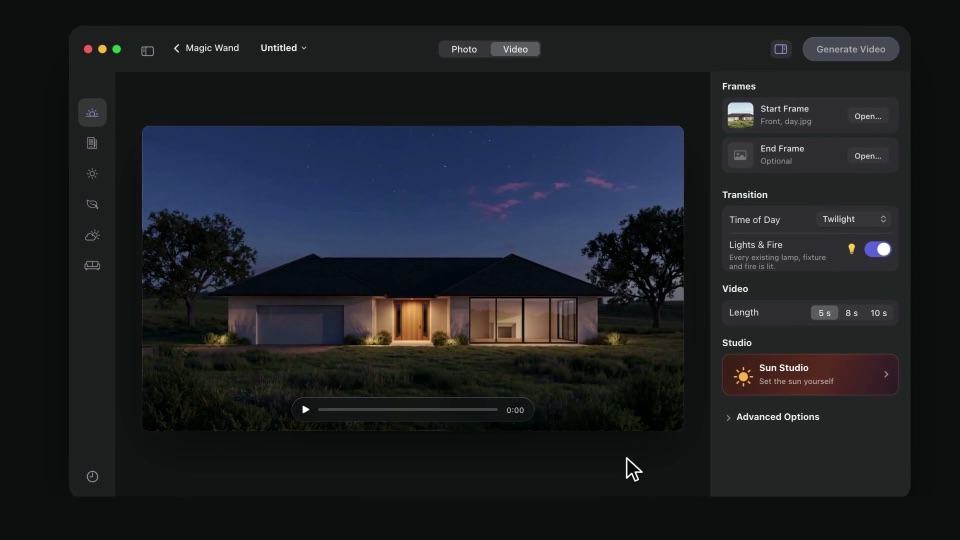
0:56Magic Wand is open to every beta tester
Turn a daytime photo into golden hour, twilight or night, cast architectural shadows, swap the sky or the season, stage an empty room, and animate any of it into a video. A short narrated tour plays the first time you open it.
- NewYour beta credits are now RoomSort sorts. We converted everyone's beta credits into RoomSort and reset every key to three free cloud sorts of up to 500 clips each, even if you'd already used them. Fast is still unlimited.
- NewActive testers get 450 free credits to try Magic Wand: enough for a photo and a 5-second video. After that, buy a pack from Credits in the app; each Generate button shows its price before you spend.
- NewSun Studio is in development, available to early subscribers.
- NewTime Shift: evening videos rest on the finished night for a moment before they end.
- FixEscape skips the Magic Wand tour.
- KnownMagic Wand's sound effects are off while we make a better set.
 0:53
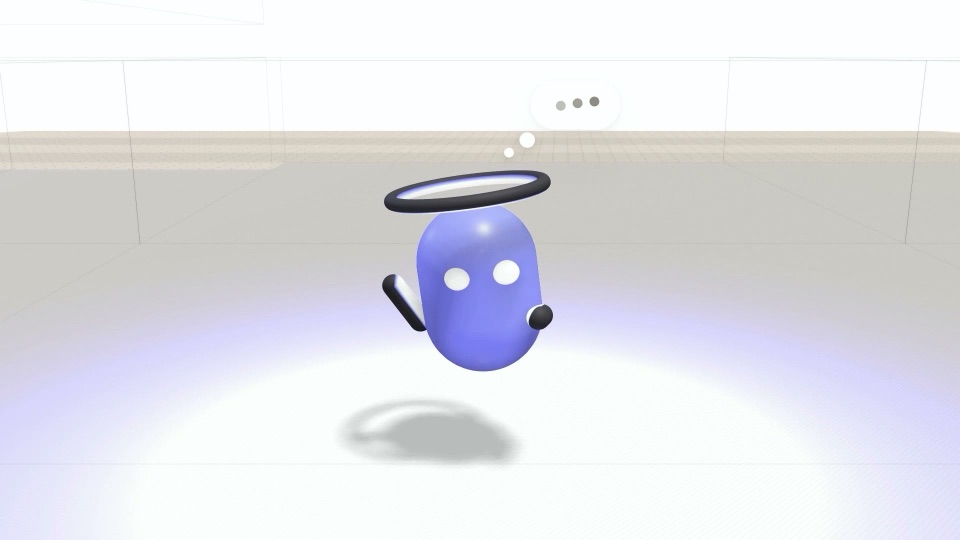
0:53Meet RoomSort in 53 seconds
The first time you open RoomSort, a short narrated video walks you through a whole sort: card in, rooms out, straight into Final Cut. Mute or skip it any time, and watch it again from “Watch the intro” on the start screen.
- NewPlainer sort options: Fast is unlimited, and Balanced, Sharp and Full each take a sharper second look at the harder clips.
- FixThe trees around the 3D house grow in place instead of jumping off the lot.
- FixSend to Final Cut puts every clip in its room collection when your clips carry camera timecode, including clips graded and rendered in DaVinci Resolve before sorting. Before, only drone footage landed in its collection and every other room came up empty.
- NewEvery correction is checked by a person before First Pass learns from it. Your corrections now include one small preview still for that review; it's deleted as soon as it's been looked at.
- NewYour corrections teach First Pass. Moving, confirming or fixing a clip — and exporting a shoot — sends that label (never a still or the footage) to train the room model. On by default in the beta; switch it off in RoomSort's Preferences.
- NewCloud sorts start from the Mac's own read: every clip tells the cloud model what First Pass's room model thinks, Full included.
- NewNewer cloud models: Gemini 3.5 Flash-Lite for Balanced and Sharp, Gemini 3.8 Flash for Full, with Claude Sonnet 5 and Opus 5.5 as backups.
- FixA cloud answer of Agent / Talent no longer lands in Unsorted, and the Mac's model no longer overrules the cloud on who's in the shot.
- FixBalanced and Sharp keep the cloud's answer. A clip the Mac was unsure about stayed flagged after the cloud answered it confidently, and the tidy-up pass could move it back.
- FixWhen the main cloud model is busy, the backup model now actually answers for Balanced and Sharp instead of failing too.
- FixYour three free cloud sorts are really three: each takes up to 500 clips at any reach. Before, one big Full sort could use up most of the allowance.
- FixThe new on-device scene model is back. 5.5 went out without it by mistake, so it quietly sorted with the older, less accurate method — Fast, Balanced and Sharp all benefit.
- FixThe 3D house on the Magic Wand preview shows again.
- NewYour three free cloud sorts are shown everywhere — home, the footer, Credits, Settings. Fast runs on your Mac, is unlimited, and never counts.
- NewReach slider: the bar fills toward Full with a live matrix, and Full lights up the room when you choose it.
- NewSorting shows the clips as they land, with the room each went to, and a time-left estimate once there's enough to go on.
- NewRooms open at three sizes that fit: Small is one sideways strip, Medium fills every row, Large packs like widgets in a bigger panel.
- NewGlass room labels, and the room you point at is named just above Export to Final Cut Pro.
- NewExternal drives are named by type and free space — SSD, hard drive or SD card.
- NewA sneak peek at Magic Wand. Generation isn't connected yet.
- FixExport to Final Cut no longer freezes the app on a big shoot, and Back returns you to the same room instantly.
- FixThe 3D house rests when you're not using it instead of running the fans.
- FixReduce Motion is respected everywhere something moves.
- KnownCredit prices are hidden while pricing is finalised. Buying credits opens after the beta.
- NewThe clip finder handles vertical and horizontal footage side by side.
- FixThe room legend stays up inside a room.
- FixResizing the window no longer tears at the bottom edge.
- FixOne bin per room type, with a proper bar when a house has a second room of the same kind.
- FixSign out is back, and the activation screen no longer freezes.
- FixBathrooms no longer split into rooms that don't exist; repeated rooms only separate where they can be told apart.
- FixThe scrolling glitch and the phantom gap between separated rooms are gone.
- NewA refreshed home screen with Settings one click away.
- FixCloud sorts complete again — no more stalls on Warming up — and the cancel screen always appears when a sort is called off.
- NewThe beta keeps its own projects and logs, separate from the release app.
System requirements
- macOS
- 14 Sonoma or newer
- Chip
- Apple Silicon (M1+) or Intel
- Memory
- 8 GB minimum, 16 GB recommended
- Editor
- Final Cut Pro (XML round-trip)
- Network
- Required for cloud vision sorting
Signed and notarized, same as the release build — Gatekeeper won't stop you.
Reporting a bug
Mail us with your build number — it's at the bottom of Settings → Account — and, if a sort went wrong, attach its log: ~/Library/Application Support/First Pass Beta/sort.log. The log tells us which clips confused it.
Build notes and known issues go out on our Instagram broadcast channel.
What's next
Roughly in order. Beta feedback reorders this more often than we plan it.
Premiere Pro export
The same sorted structure as an XML Premiere will open cleanly.
Exterior pass
Front elevation, rear, aerial and neighbourhood as their own groups.
Watch folder
Point First Pass at a card-offload folder and let it sort on arrival.
Team shared sorts
Hand a sorted shoot to an editor without re-running the pass.